

How to Use Lumi to Create Assignment Ideas
Last updated: Oct 21, 2026
1844
views

This feature is part of the Lumi suite of AI-powered tools that course builders can use to generate and revise course content. Lumi tools are embedded throughout the My Courses interface and can be identified by the "sparkles" icon (✨).
Learn more about Lumi here.
Begin by creating a new assignment. Next, click on "Generate Assignment Ideas"

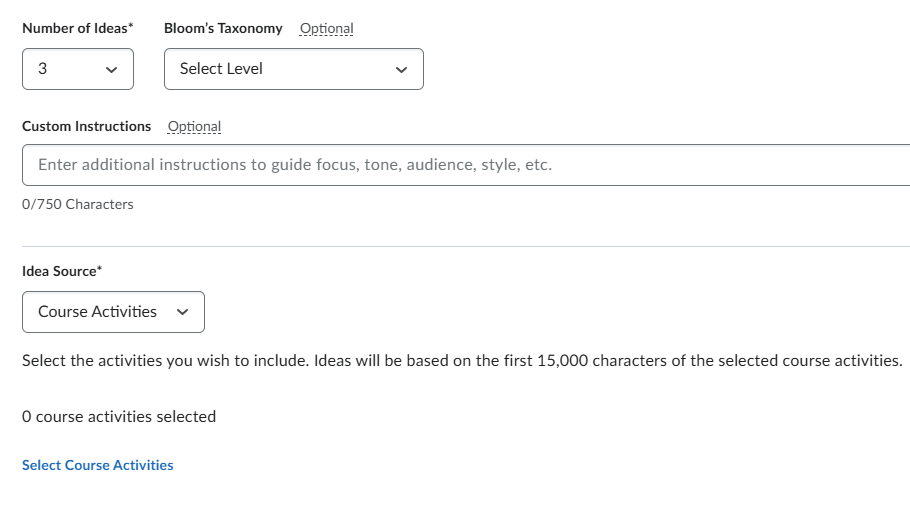
Select the number of ideas to generate and (optionally), the tone/audience and what level of Bloom's Taxonomy the assignment will align to. Also select which pieces of content in the module you'd like Lumi to "read" then click on the blue "Generate" button.
Select one idea from the list then the blue "Insert" button:

Edit your assignment's title, point value, settings, etc and click the blue "Save and Close" button when finished.

