

Quizzes – Flag questions and strikethrough answer options (Students)
Last updated: Oct 14, 2026
53
views

Learners can flag quiz questions to revisit later and apply strikethrough formatting to answer options to help narrow their choices.
Learners can select the bookmark icon  beside a quiz question to flag it for review. Flagged questions appear in the left navigation, allowing learners to quickly return to them.
Learners can also select the strikethrough icon  beside answer options to eliminate choices they believe are incorrect.
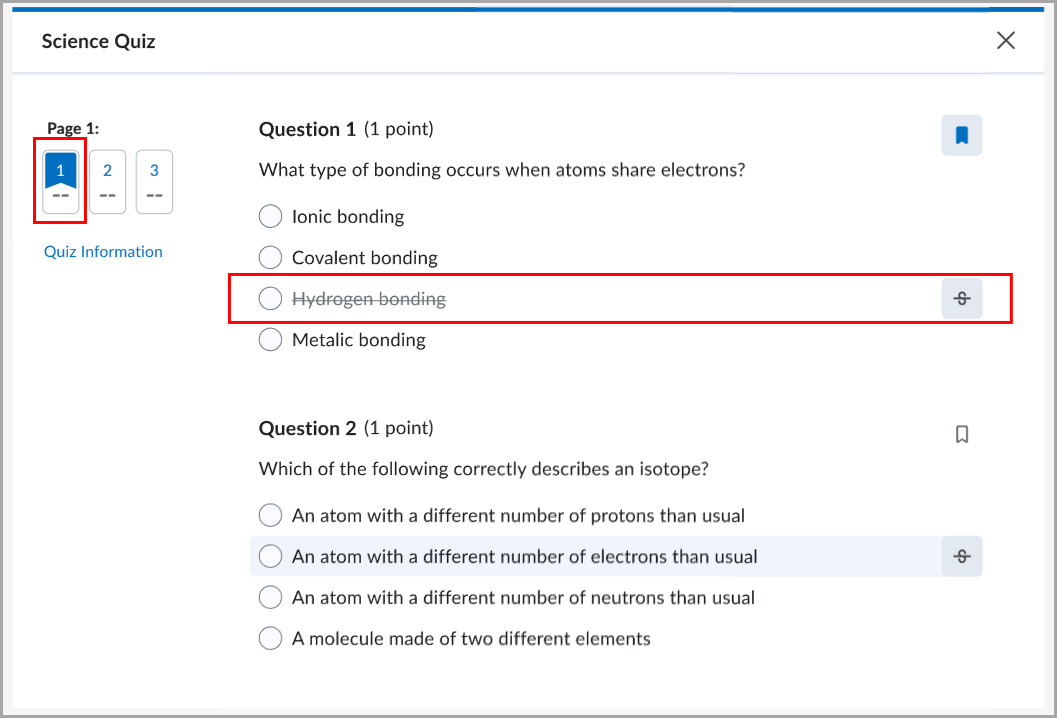
Figure: A flagged quiz question with an answer option shown in strikethrough.

