How to Find Copyleaks Reports

Sep 28, 2026
12

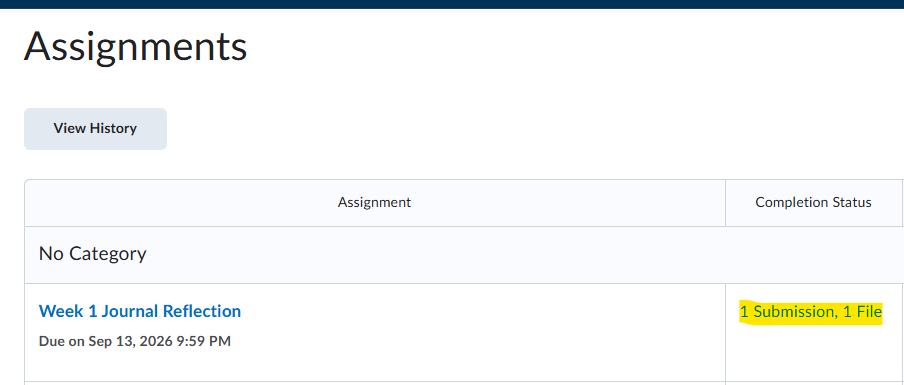
Begin by clicking on the "Tools" dropdown and then "Assignments." Next, click on the submission under the "Completion Status" box.
Next, click on the blue "View" link under "External Tool Results"

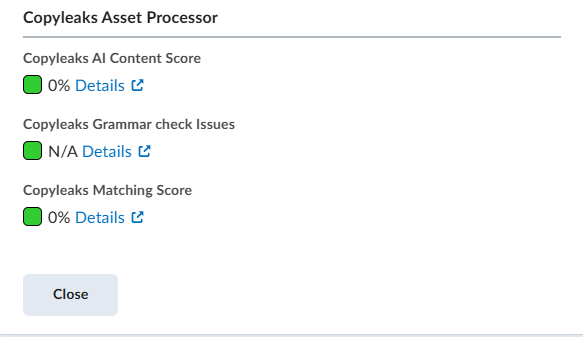
Finally, click on the blue links next to the AI Content Score, Grammar check issues, or Matching Score to receive the detailed report.