

How to Grade with Rubrics
Last updated: Jul 29, 2026
298
views

Open the Rubric
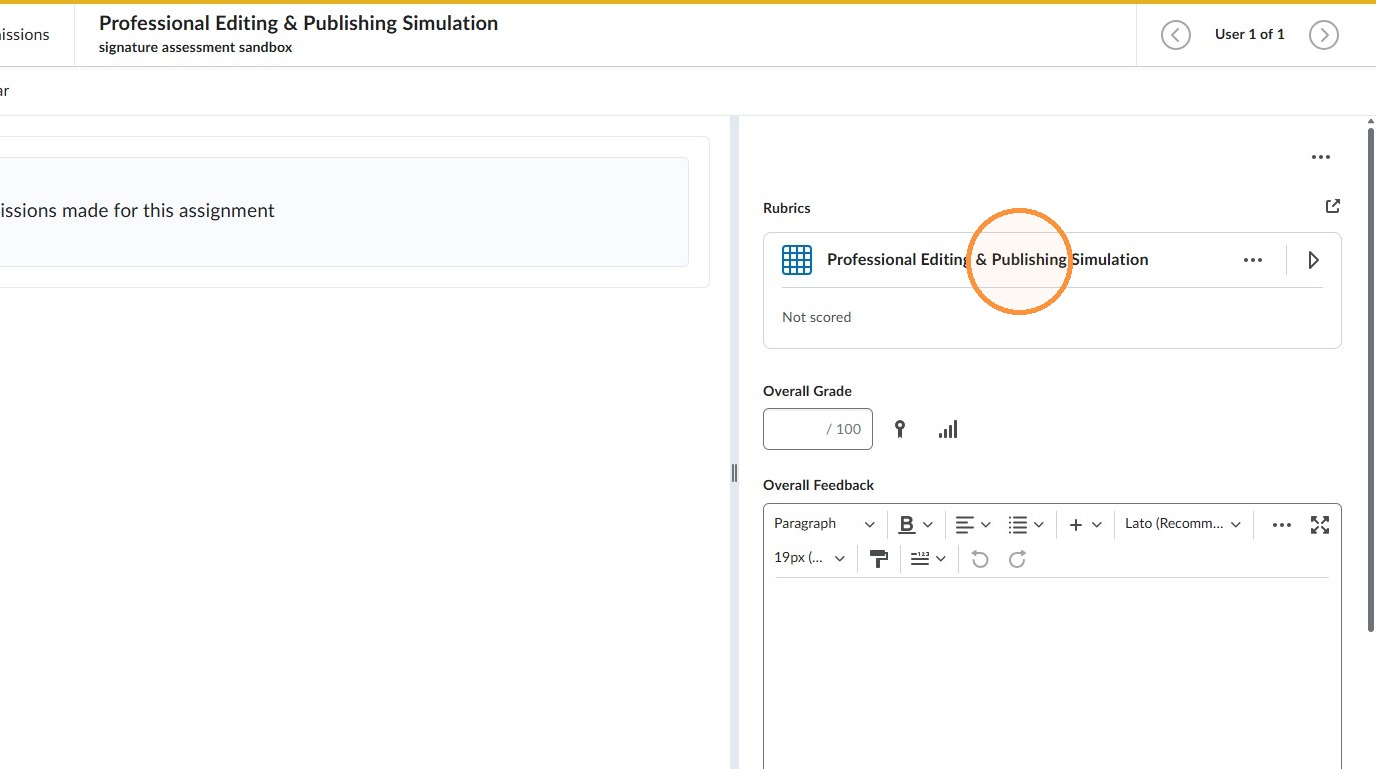
1. When grading a submission begin by clicking on the rubric toward the top right of the page.
2. The rubric will expand and allow you to select an achievement level for each criteria row
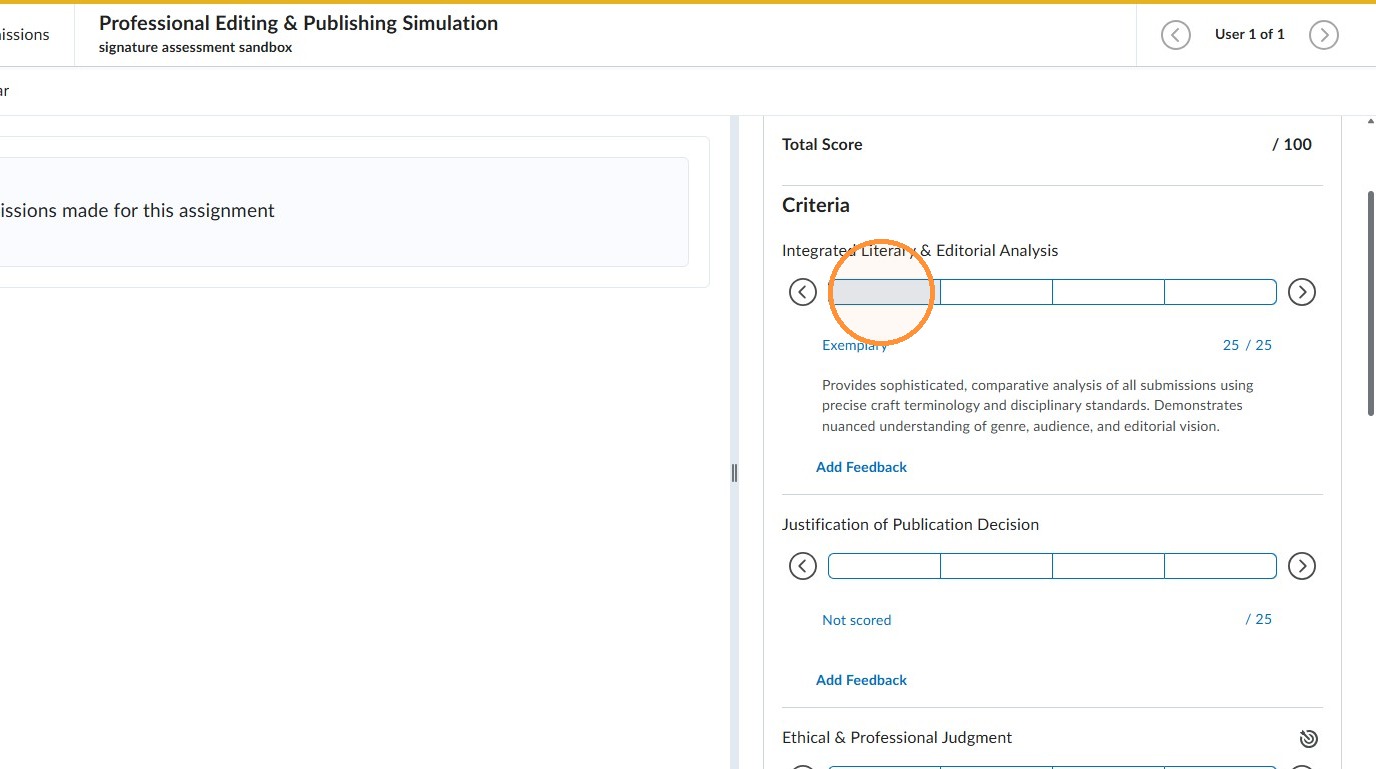
Score the Criteria
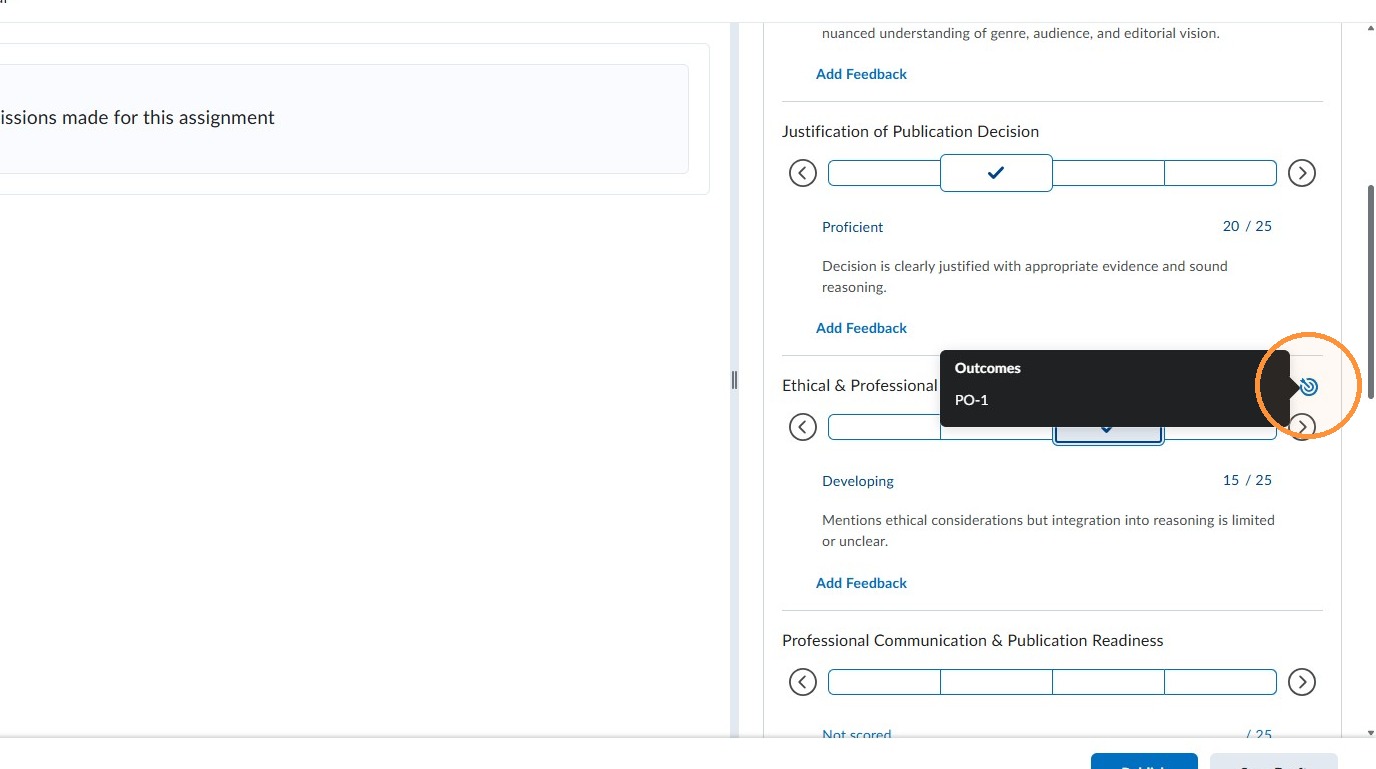
3. The bullseye icon next to a criteria indicates that it is aligned to an outcome. No special action is required - assess the criteria normally.
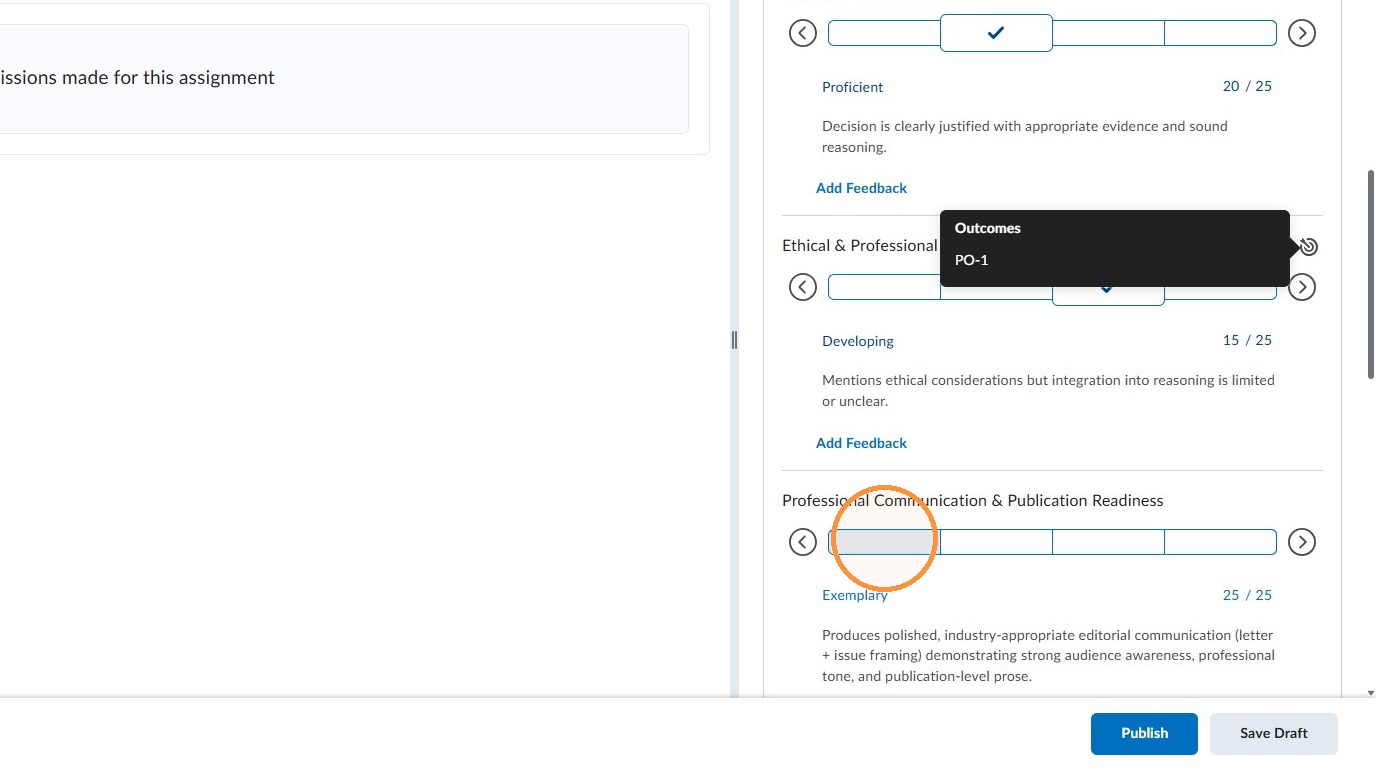
4. Continue assessing the criteria rows
Adjust the Achievement Level if Needed
5. If you scroll all the way to the bottom of the screen you'll see a suggested overall achievement level. You can adjust the level manually if needed.
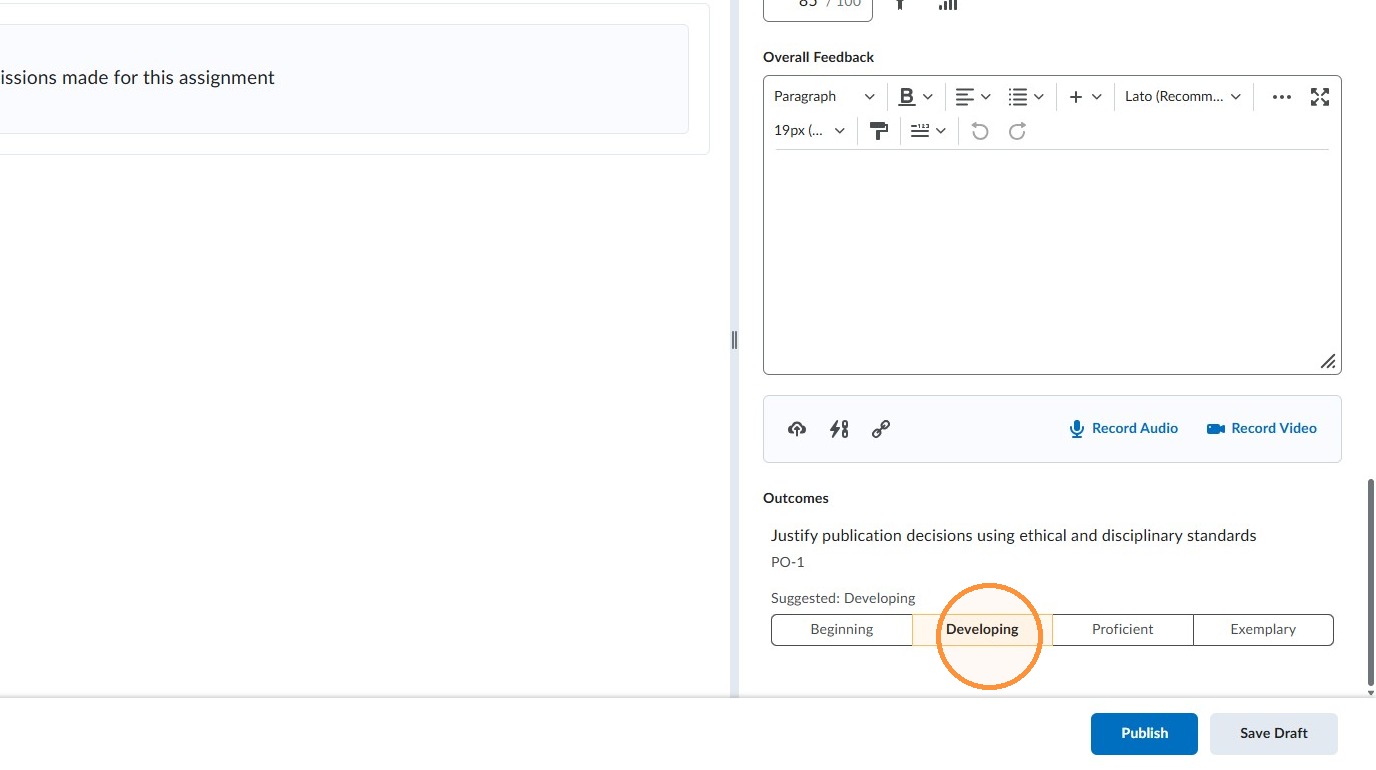
Click on the blue "Publish" button or "Save Draft" when finished.

