


How to Share an ePortfolio Item with an Individual User

Mar 27, 2026
 0
0
Go to your ePortfolio and locate the item you want to share.
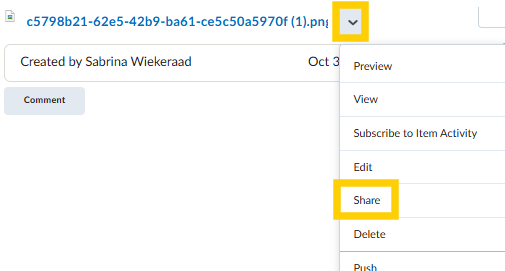
Once you've located the item, click the carat next to the item and select the option to share.
Click the option to Add Users and Groups
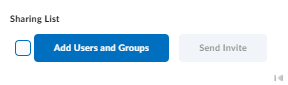
Then select the users and the level of access you want them to have to the item. Once you have things set to your liking, click Share.

