


How to Assign Existing Assignments to Groups

Jan 07, 2026
 269
269
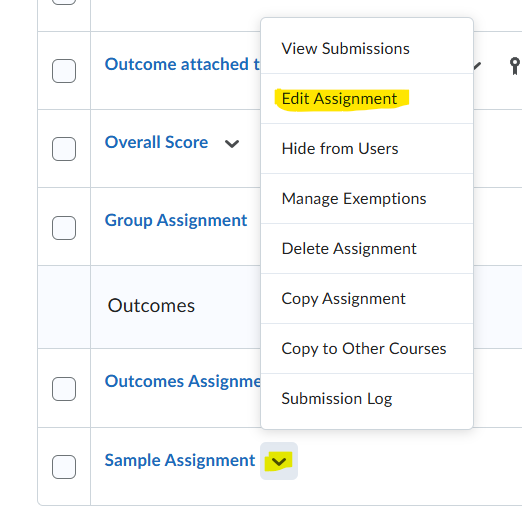
Begin by clicking on the "Tools" dropdown, then "Assignments." Click on the caret next to an assignment that has no submissions and then "Edit Assignment"
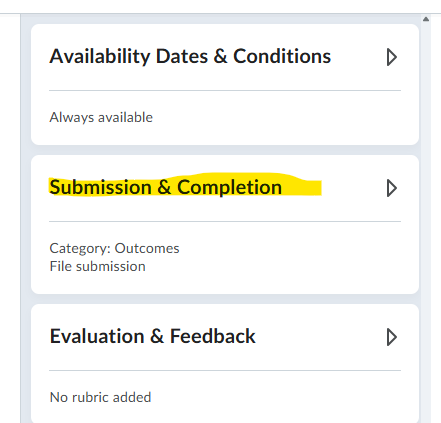
Next, click on the "Submission & Completion" settings on the right side of the page
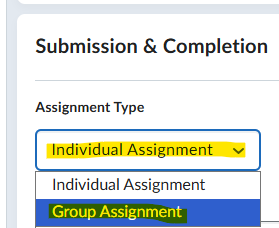
Under "Assignment Type" click the drop down and select "Group Assignment"
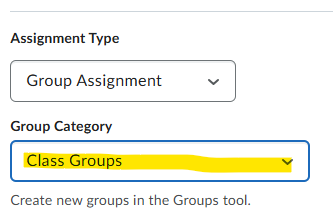
Finally click the dropdown under "Group Category" and select the category you want to assign the assignment to.
Click on the blue "Save and Close" button at the bottom left of the page.

