How to Add and Delete Groups

Jan 07, 2026
 363
363
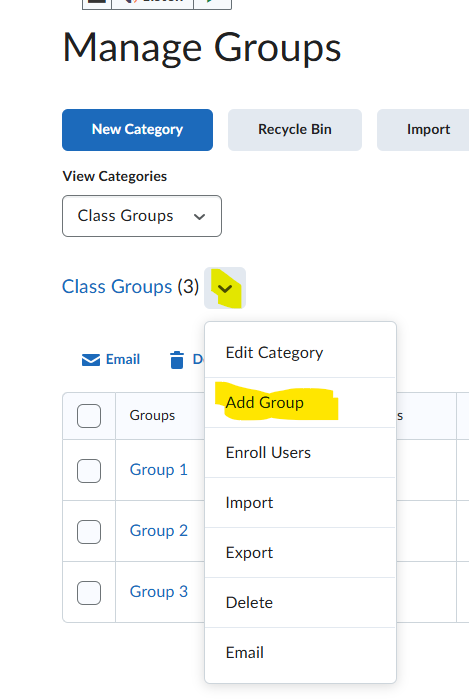
Begin by clicking on the "Tools" dropdown and then "Groups." To add a group, click on the caret next to the group category then "Add Group."
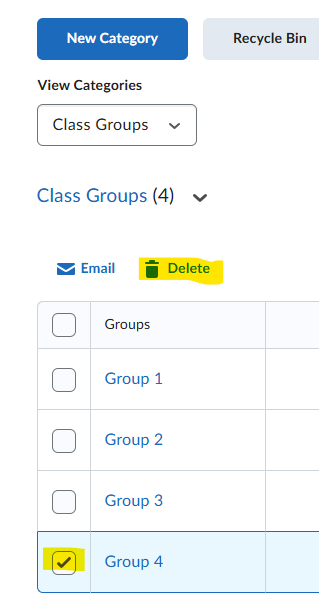
To delete a group click on the box to the left it, then the "Delete" button at the top of the list