


Automatically Drop the Lowest Grade

Dec 15, 2025
 217
217
NOTE: grade items must be in a category
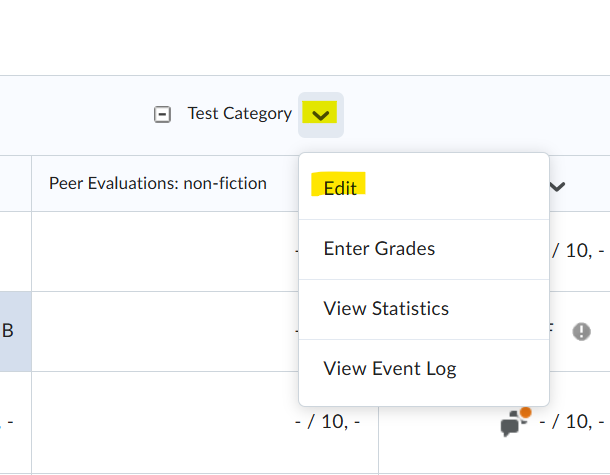
Begin by clicking on the "Grades" tab. Next, click on the caret next to a category and click "Edit"
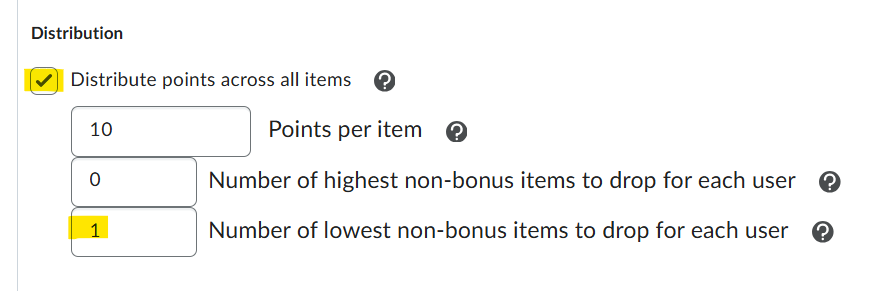
Scroll down to the "Distribution" area and click the box next to "distribute points across all items", then type the number of low scores you would want the gradebook to drop in that category.
Finally hit the blue "Save and Close" button.

